
#trending: Apple says you shouldn't put a wet phone into uncooked rice — here's why
SINGAPORE — For people who accidentally get their mobile phones wet, the "life hack" of submerging it in uncooked rice is often the first solution offered up by the internet.
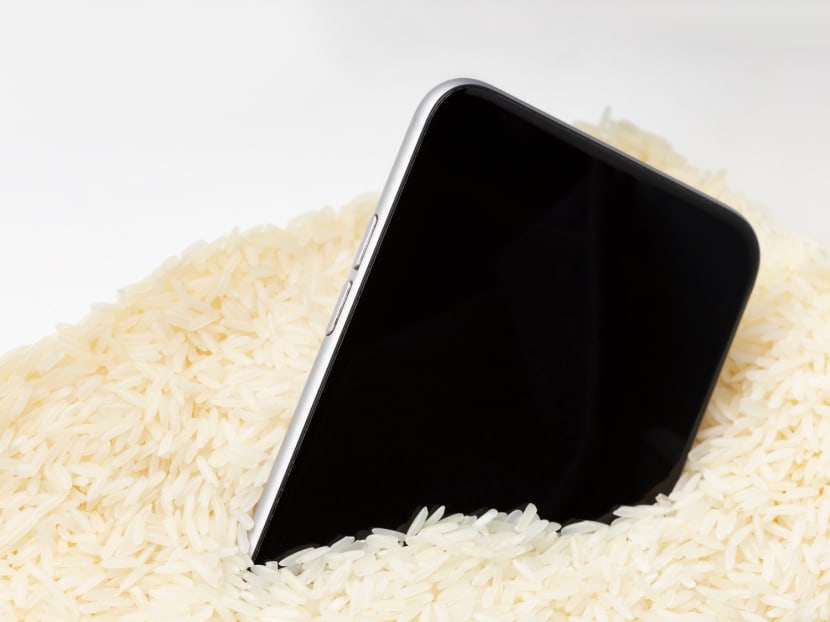
A mobile phone placed in rice, a common method used to dry wet phones.


This audio is AI-generated.
- Submerging a wet mobile phone in uncooked rice is often a "life hack" some would employ in an attempt to dry up their device
- However, tech giant Apple recently confirmed that doing so could actually further damage your phone
- Instead, you should tap your phone gently against your hand to remove excess liquid before leaving it in a dry area with some airflow
- Apple has also stepped up to debunk other common phone myths in the past


SINGAPORE — For people who accidentally get their mobile phones wet, the "life hack" of submerging it in uncooked rice is often the first solution offered up by the internet.
The science behind this folk remedy — unearthed in a 2015 report by The Verge, an American technology news website — appears to stem from a decades-old phenomenon of using rice as a dessicant to keep camera equipment and film dry in the absence of the more commonly used silica gel.
In the 1996 book Yankee Magazine's Make It Last: Over 1,000 Ingenious Ways to Extend the Life of Everything You Own, author Earl Proulx recommends preventing rust and fungus on your camera equipment by storing it with silica gel.
"In a pinch, substitute uncooked rice," he writes.
This "rice hack" has since become common advice for people who accidentally get their phones wet. Yet, as tech giant Apple recently warned, this may actually do more harm than good for your phone.
WET PHONE? PUT THE RICE BAG DOWN
In an article published on Apple Support's Singapore website last month, it was stated that putting your phone in a bag of rice could further damage your phone by allowing small particles of rice, dust or starch to enter its different ports.
While it may be tempting to speed up the drying process yourself, Apple also states that you should not use an external heat source or compressed air (such as a hairdryer) to dry the phone or insert a foreign object (such as a cotton bud or a paper towel) into the charging port.
Instead, it advises that you simply tap your phone gently against your hand with the charging port facing downwards to remove excess liquid. Then, leave it in a dry area with some airflow.
For Apple's iPhones, a liquid-detection warning will appear if the phone or cable is not completely dry. Users should avoid charging their iPhones if this alert appears, because the pins on the connector or cable can corrode and cause permanent damage or stop functioning.
While drying, you can periodically reconnect the cable to check if the alert appears again. It may take up to 24 hours to dry fully, the site states.
Despite Apple's explicit warning, many social media users have declared that they will stick to their tried-and-true method of using rice.
Several sceptics even speculated that Apple's warning is an effort to make more money for the company by getting iPhone users to take their water-damaged phones to Apple repair centres or buy new iPhones.
One user on Twitter (formerly X) said: "Okay, we all know the rice trick works. Come on, Apple."
Another agreed: "Phone companies telling us that putting wet phones in rice causes more damage — they will never fool me."
On TikTok, one user reasoned: "It's already damaged from the water! I'll take my chances with US$1 worth of rice vs buying a new one for US$1,000."
This is not the first time the tech company has stepped up to debunk common myths about mobile phones. Another Apple Support article from last November addresses charging and maintaining the battery life of an iPhone.
YES, YOU CAN CHARGE YOUR PHONE OVERNIGHT
We have often heard that "overcharging" a phone compromises its battery life.
Apple Support itself states in another article that when an iPhone remains at full charge for prolonged periods of time — such as when plugged in at a sales display — battery health can be affected.
Still, it confirms that an iPhone can be charged every night even if its battery is not fully depleted, because it automatically stops charging once fully charged.
STOP CLOSING RECENTLY USED APPS
In an Apple Support Community discussion from last August, reputable user Lawrence Finch offers another unpopular opinion: "Do not close iPhone and iPad 'background' apps."
Some smartphone users may be accustomed to routinely closing recently used apps from their quick-launch screen in order to improve overall phone performance and save battery life.
However, referring to an official email response to a customer from Apple's senior vice-president of software engineering Craig Federighi, Mr Finch states that the common belief is "a myth that is not true in almost all situations".
In fact, there are multiple reasons phone users should not be doing so.
In the email, shared with Apple tech blog 9to5Mac in 2016, one curious customer asked Apple's chief executive officer Tim Cook if he quits all his apps and if it was necessary.
Jumping in, Mr Federighi provides a succinct response: "No and no."
This is because, Mr Finch confirms, the apps are not actually running — they are suspended. Closing them does not clean up the phone's RAM (random access memory).
In fact, closing these apps worsens battery life and makes your phone slower because it takes more energy and time to reload an app from storage than to restart it from its suspended state in the multitasking screen.
As the official Apple Support article on the topic advises: "You should only close an app if it's unresponsive."
Related topics
Trending Apple iPhoneStay in the know. Anytime. Anywhere.

Subscribe to our newsletter for the top features, insights and must reads delivered straight to your inbox.
By clicking subscribe, I agree for my personal data to be used to send me TODAY newsletters, promotional offers and for research and analysis.