
SingPass Mobile app suffers glitch hours after launch
SINGAPORE — Less than two hours after its launch on Monday afternoon (Oct 22), the SingPass Mobile application was hit by a glitch, with some users unable to set up accounts on their phones.
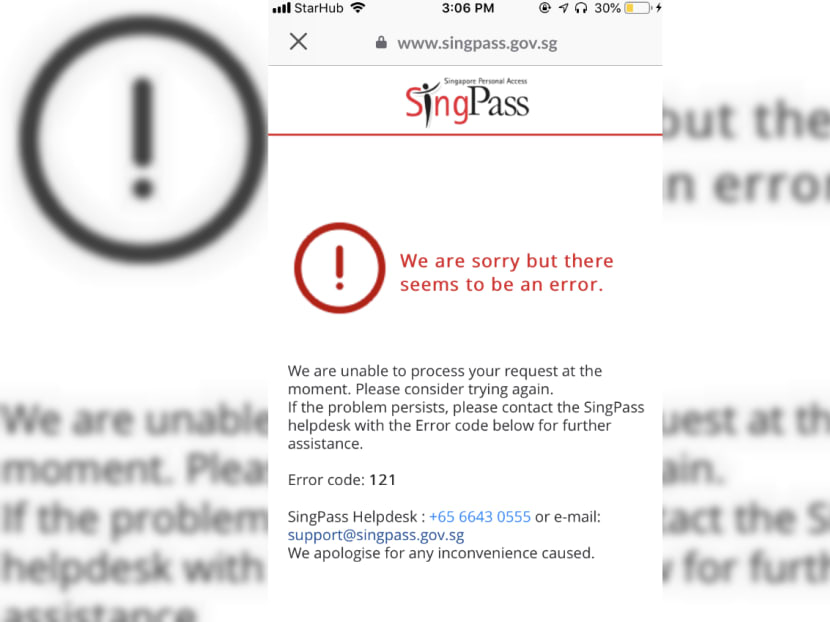
SingPass Mobile users were greeted with an error message on Oct 22, 2018, after they entered their existing SingPass username and password, as well as a one-time password.

SINGAPORE — Less than two hours after its launch on Monday afternoon (Oct 22), the SingPass Mobile application was hit by a glitch, with some users unable to set up accounts on their phones.
Irate users then took to social media to air their frustrations.
Facebook user Ray Lim wrote: “I tried several times using this app to log in (and) got errors... then I tried the browser version, (and it) worked.
Another Facebook user Li Shichen said that he also encountered the same error, adding that the “botched launch” was “not good” for users.
Mr Wei Xing wrote on the same social media channel: “(This was) obviously not thoroughly tested before rolling out.”
On Tuesday, the Government Technology Agency of Singapore (GovTech) apologised to users who encountered problems during the registration process.
“This was due to a software error, which was not picked up during testing, and resulted in issues when a high volume of users tried to register for SingPass Mobile,” it said, adding that there has so far been more than 20,000 successful installations.
“We have resolved the issue, and encourage affected users to try registering for SingPass Mobile again.”
The SingPass Mobile app aims to provide a hassle-free and secure method for users to log in to e-government services.
Instead of having to remember their usernames and passwords, they can use their fingerprints, facial recognition or a six digit passcode to pay taxes, check their Central Provident Fund balances, and apply for Housing and Development Board flats.
After downloading the app, the one-time setup requires users to enter their existing SingPass username and password.
They will then receive a one-time password via SMS, or they can use their OneKey security token.
However, users were greeted with an error message on Monday after they entered their existing SingPass username and password, as well as the one-time password.
When contacted on Monday, GovTech said that it was an intermittent problem, and that not all users had encountered the error.
Assurity Trusted Solutions, a subsidiary of GovTech, operates the National Authentication Framework (NAF) and provides two-factor authentication (2FA) services. It also provides users with the OneKey token.
Responding to affected users directly on Facebook, the agency asked those who encountered issues to email their names, phone model, Operating System (OS) version, and mobile number to the SingPass Helpdesk (support [at] singpass.gov.sg).
Stay in the know. Anytime. Anywhere.

Subscribe to our newsletter for the top features, insights and must reads delivered straight to your inbox.
By clicking subscribe, I agree for my personal data to be used to send me TODAY newsletters, promotional offers and for research and analysis.