
Best hybrid PC still requires compromises
SINGAPORE — Having gone through several generations of the Surface tablet, Microsoft has declared the Surface Pro 4 the first in the device’s class of “2-in-1” products to “live up to the dream” of an all-purpose hybrid device that does not compromise on form or function.
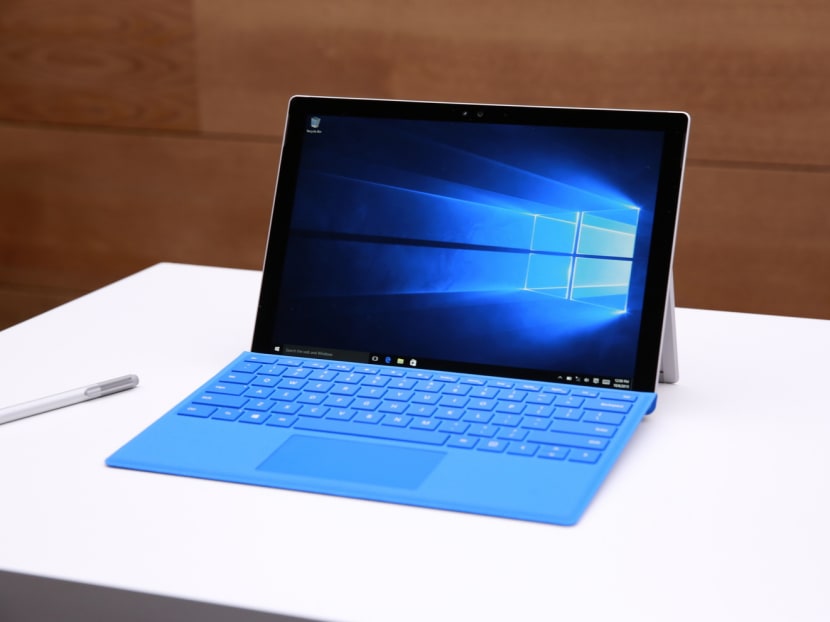
SINGAPORE — Having gone through several generations of the Surface tablet, Microsoft has declared the Surface Pro 4 the first in the device’s class of “2-in-1” products to “live up to the dream” of an all-purpose hybrid device that does not compromise on form or function.
Compared with the Surface Pro 3, the Pro 4 is a definitive step up with major improvements. It is also the best tablet Microsoft has made. However, it still has some way to go to being an all-purpose two-in-one.
The biggest leap would be in the area of performance, now “desktop class” and scaled up to an Intel i7 with 512GB SSD and 16GB RAM. My review unit was an i5 with 256GB SSD and 8GB RAM. I liked that it was essentially a fully functioning computer. I ran an Adobe Photoshop speed test and its results came in only slightly worse than an average laptop of similar specification.
In terms of battery life, it went down about 5 per cent every 10 minutes under heavy usage at 75 per cent brightness level.
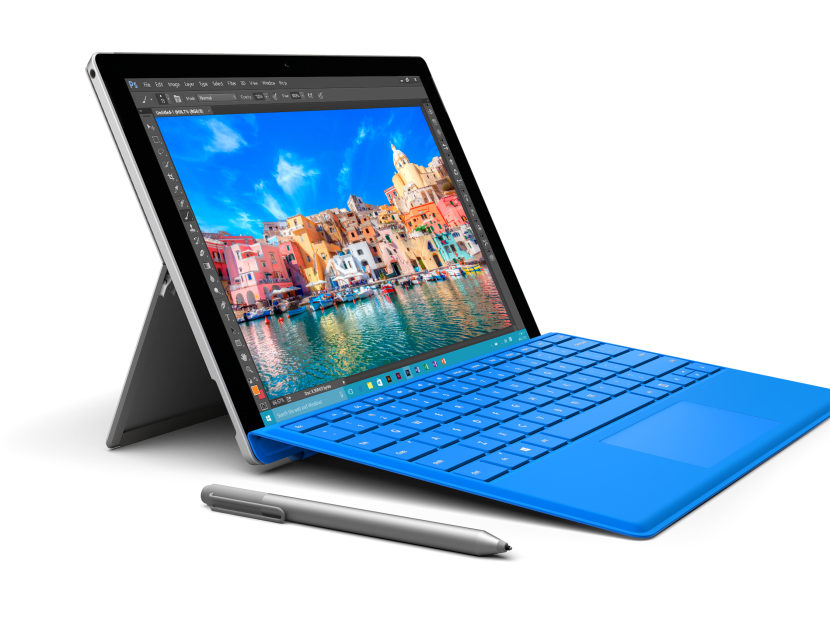
The Pro 4 comes with a slightly bigger screen than its predecessor at 31cm, with a higher resolution of 2,736 X 1,824. Microsoft managed to squeeze in the bigger screen without making the overall size of the tablet larger. It is now also 28g lighter, at 766g.
Following feedback that the previous flip cover/keyboard was highly susceptible to oil stains, the new version now has an oil-resistant coating.
Both the keyboard and trackpad surface area have also been re-engineered to be more spaced out and easier to use.
While the pen remains largely the same, it has an “eraser” on top that can be clicked to activate certain functions, such as taking a screenshot. Where previously you had to hang the pen precariously on the Type Cover, there is now a magnetic “clean edge” on one side of the Surface Pro 4, along which you can securely snap the pen in place.
What I disliked about the Surface Pro 4 is that it is still essentially more of a laptop than a tablet. I found myself often needing to invoke “Desktop mode”, which is a nightmare to navigate without a proper keyboard and mouse/trackpad. The on-screen keyboard does not always show up when you need it to, and gets easily dismissed while typing.
It is worth noting that part of the problem lies in the fact the Windows Store still lags behind Apple’s App Store and Google Play. Until more developers jump in to write proper tablet apps for Microsoft, tablet functionality will be severely hindered.
The day might come where a tablet and laptop can exit in a single form factor. For now, the Surface Pro 4 might be best for those who do not mind certain compromises with two-in-one solutions.
Pricing ranges from S$1,399 to S$3,399 and the new Surface Pro 4 can be bought via the Microsoft Store online or selected computer retailers.
Stay in the know. Anytime. Anywhere.

Subscribe to our newsletter for the top features, insights and must reads delivered straight to your inbox.
By clicking subscribe, I agree for my personal data to be used to send me TODAY newsletters, promotional offers and for research and analysis.